CRM for sales teams

Know your customers. Move your deals forward.

Bring companies, contacts, deals and follow-up together in one place. Konvyra gives your sales team a shared view of the relationships and of what to do next.

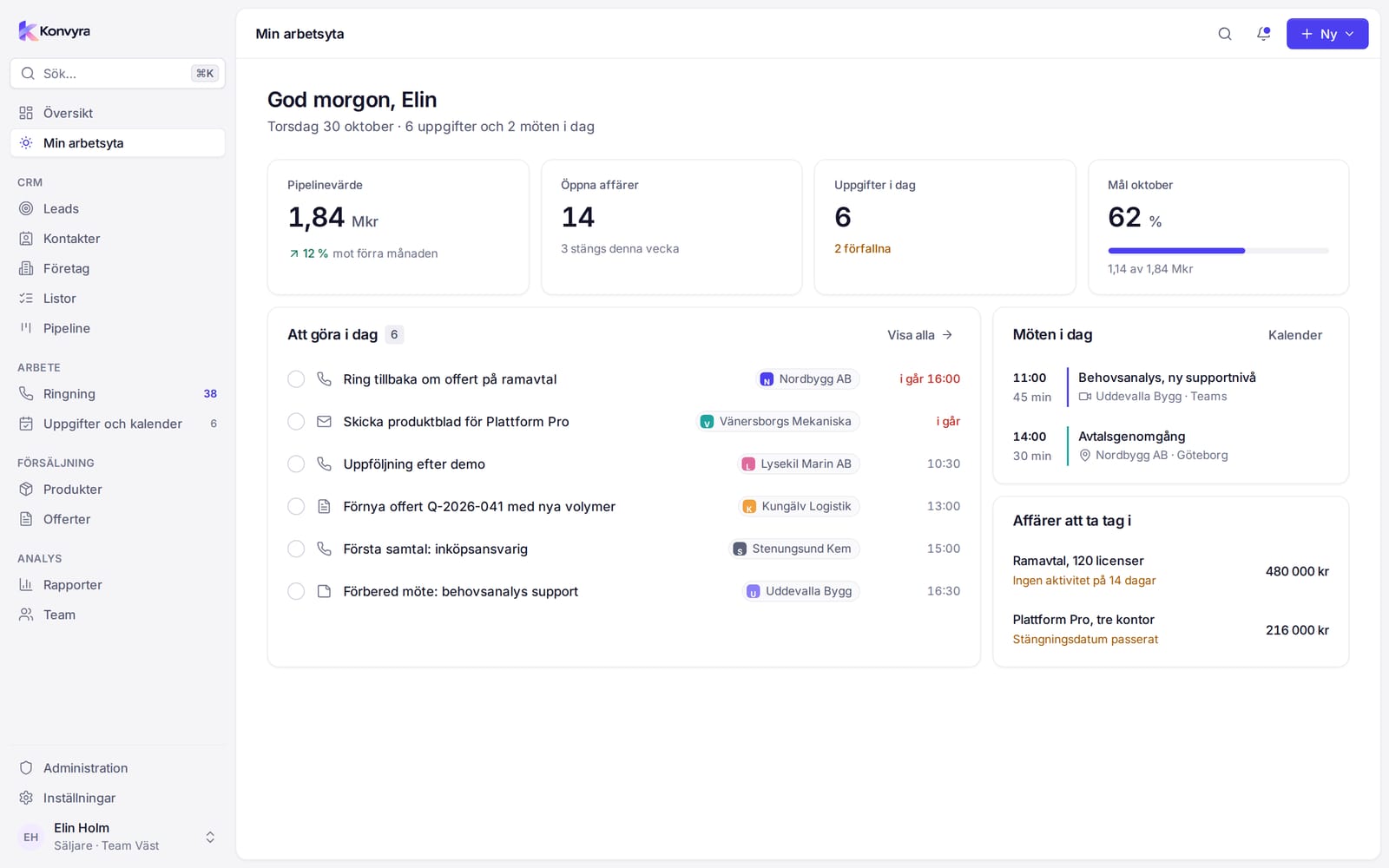
Screenshot of My workspace in Konvyra: a greeting, key figures for pipeline value, open deals, tasks today and monthly goal, today's to-do list, today's meetings and deals that need attention. The interface is in Swedish and the data is fictitious.
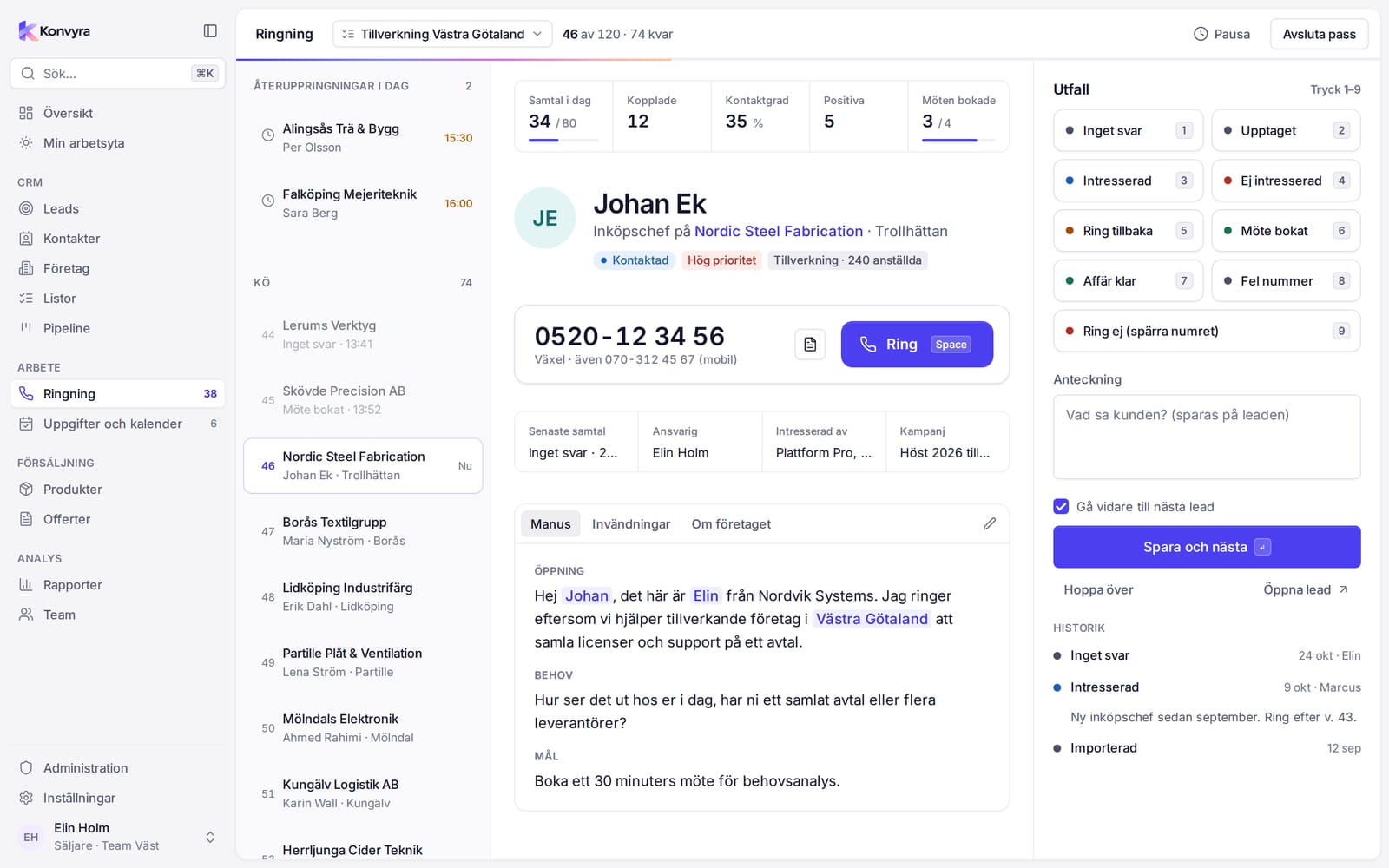
Screenshot of Calling in Konvyra: the queue on the left, the lead in the middle and the outcome buttons on the right.

A shared customer view

Companies, contacts, notes and history in one place.

Deals from start to finish

Follow each deal through your pipeline and quote.

Follow-up on time

Tasks and a calendar show what to do and when.

Access by role

Sellers see their own records and the lists assigned to them.

Pipeline

See the value in every stage

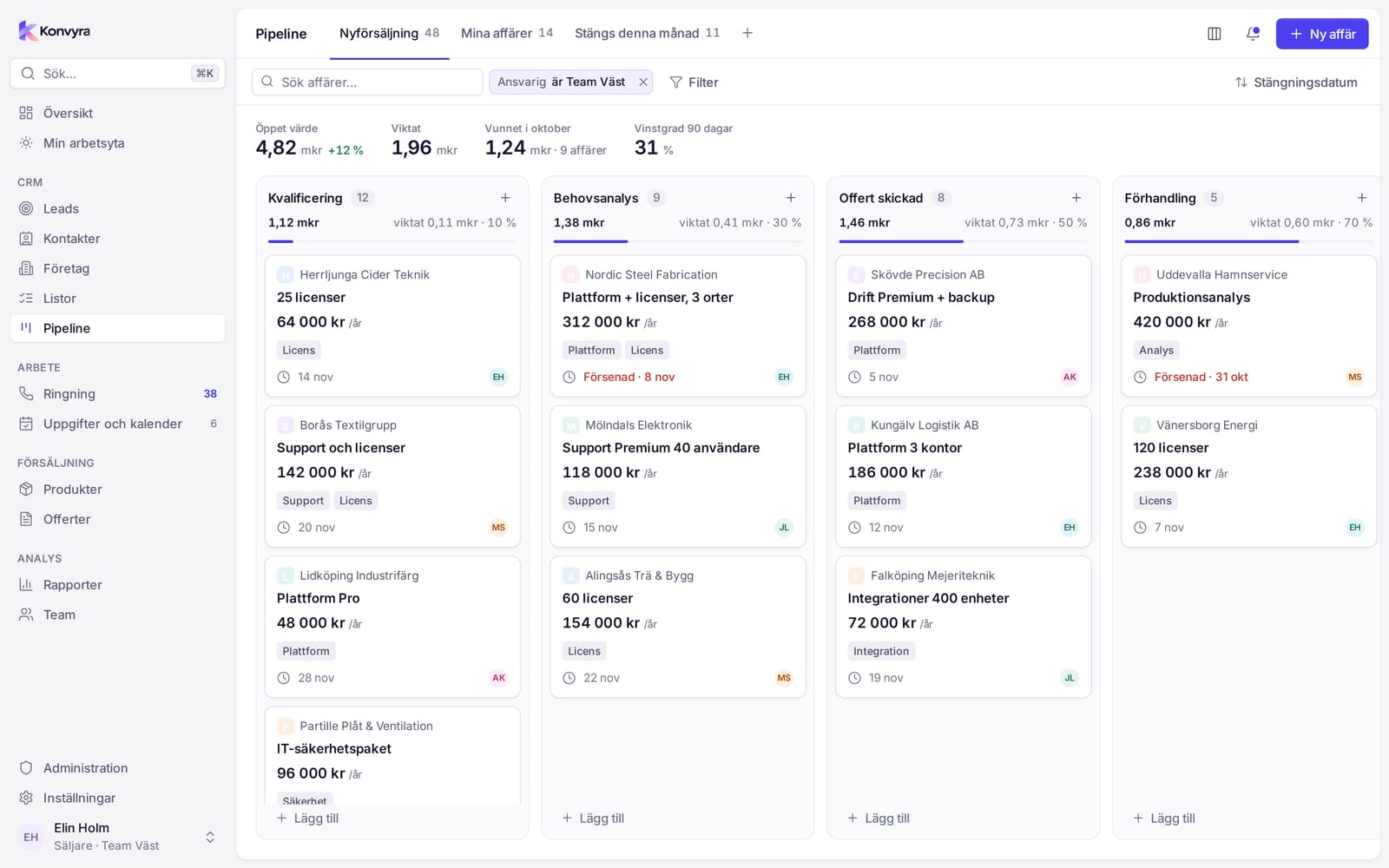
Deals sit as cards in stages, each with its own probability. Drag a card to the next stage and the totals update at once. When a deal is lost you record the reason, so you can see the patterns in the reports.

  • Open and weighted value at the top
  • Your own pipelines with your own stages
  • Loss reasons you can follow up
Screenshot of the pipeline board in Konvyra with deal cards in columns and totals at the top of each stage.

Quotes

From deal to quote as a PDF

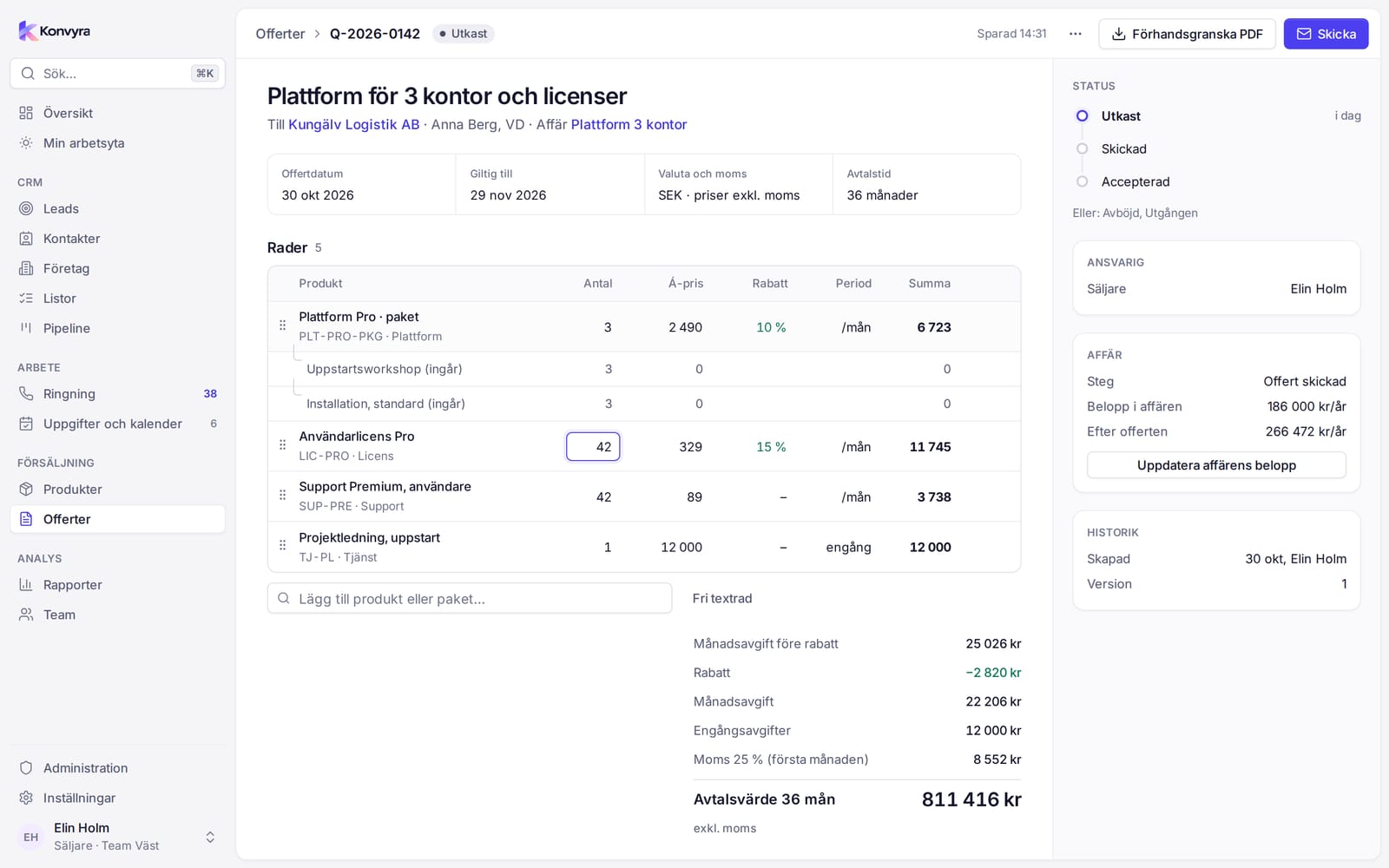
Build the quote from products and bundles in the catalogue, with quantity, discount and VAT. Konvyra works out the monthly fee, one-off charges and contract value. Preview it as a PDF with your logo and your terms.

  • Products and bundles from the catalogue
  • A new version after a negotiation
  • Status from draft to accepted
Screenshot of the quote builder in Konvyra with quote lines, totals and the status on the right.

Reports

See where you win and where deals get stuck

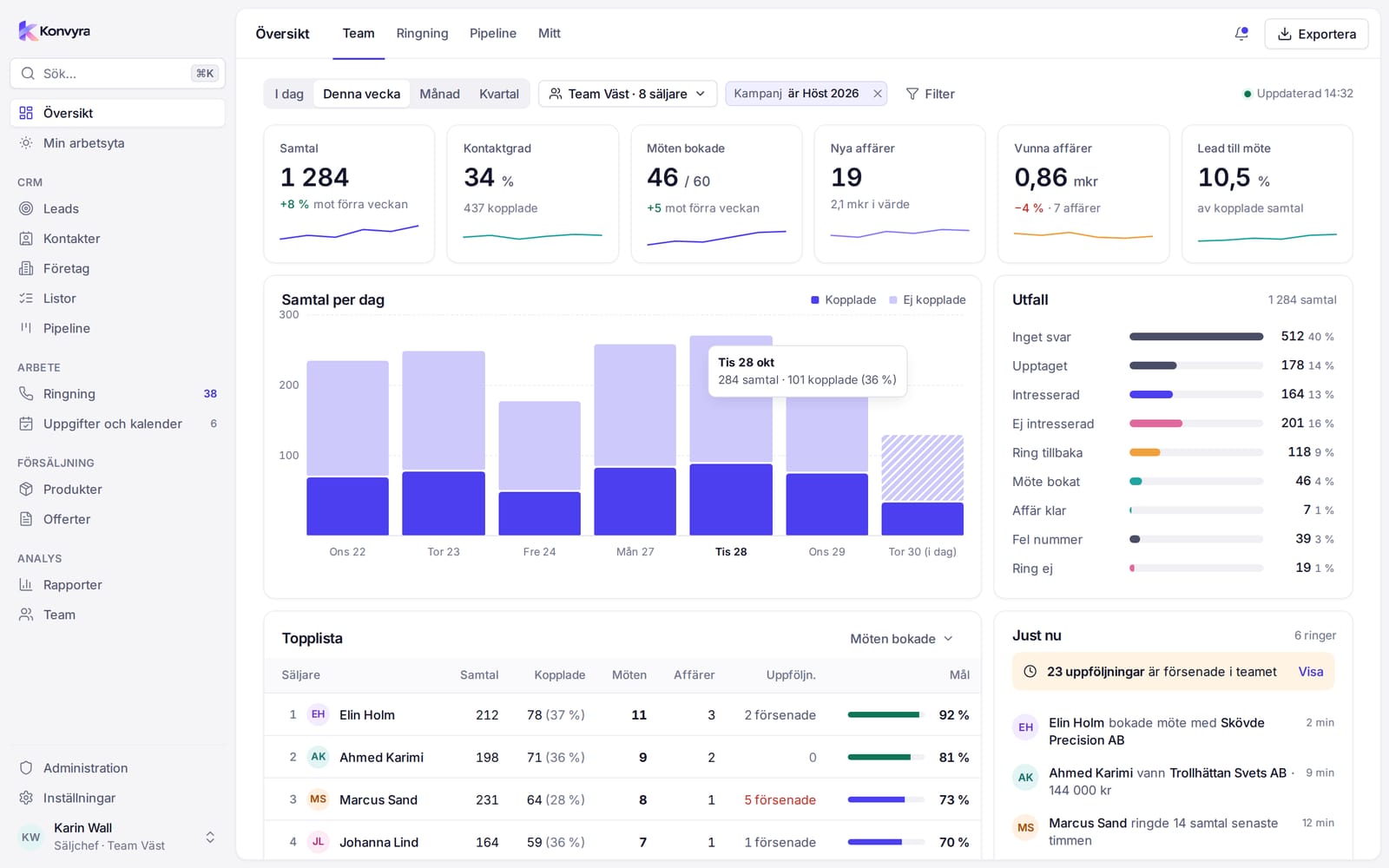
The overview shows today's calls, meetings and deals. The reports show where you win, lose and get stuck. Filter by period, team, seller, list or product, and export the tables as CSV.

  • Leaderboard and target attainment per seller
  • Exceptions: stuck deals and untouched leads
  • Export of the tables as CSV
Screenshot of the overview in Konvyra with key figures, calls per day and a leaderboard of sellers.

Lists and leads

The right leads for the right seller

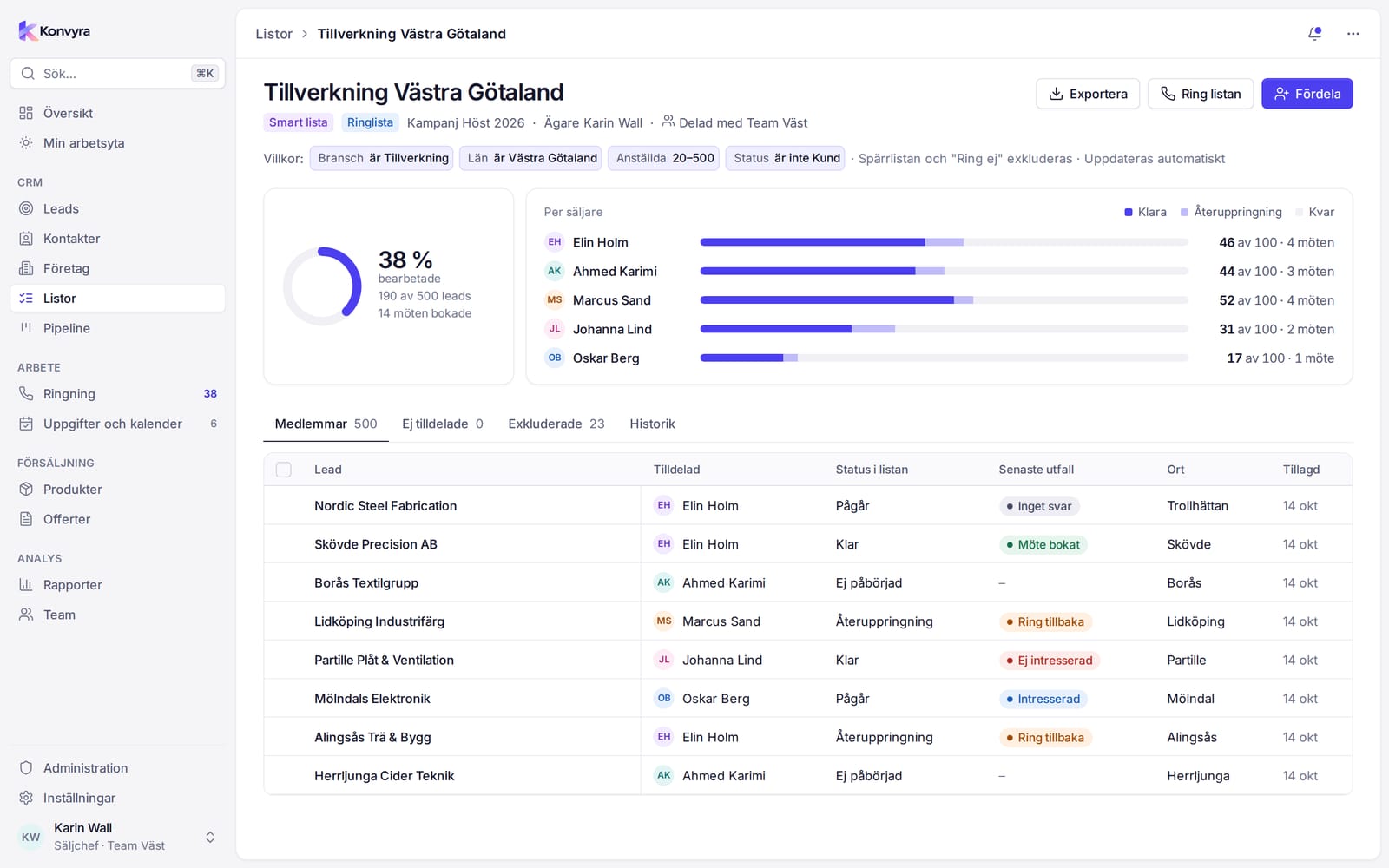
Collect leads in static lists or in smart lists that follow a filter. The sales manager distributes a list evenly, by share or by a manual count. The do-not-call list keeps out the numbers that must not be called.

  • Smart lists that update themselves
  • CSV import with duplicate checks
  • A history of distributions and imports
Screenshot of a list in Konvyra with progress, one bar per seller and a table of members.

Calling

The next lead is already on screen

If your team calls leads, there is a view of its own for calling sessions. Calling shows one lead at a time, with notes, earlier calls and the script on the same screen. Callbacks due today come first in the queue. You set the outcome with a number key and move on.

  • Outcomes with the number keys 1–9
  • Call back creates a task for you
  • Undo a saved call for 10 seconds
Screenshot of Calling in Konvyra: the queue on the left, the lead in the middle and the outcome buttons on the right.

Phone app

Focus mode in your pocket

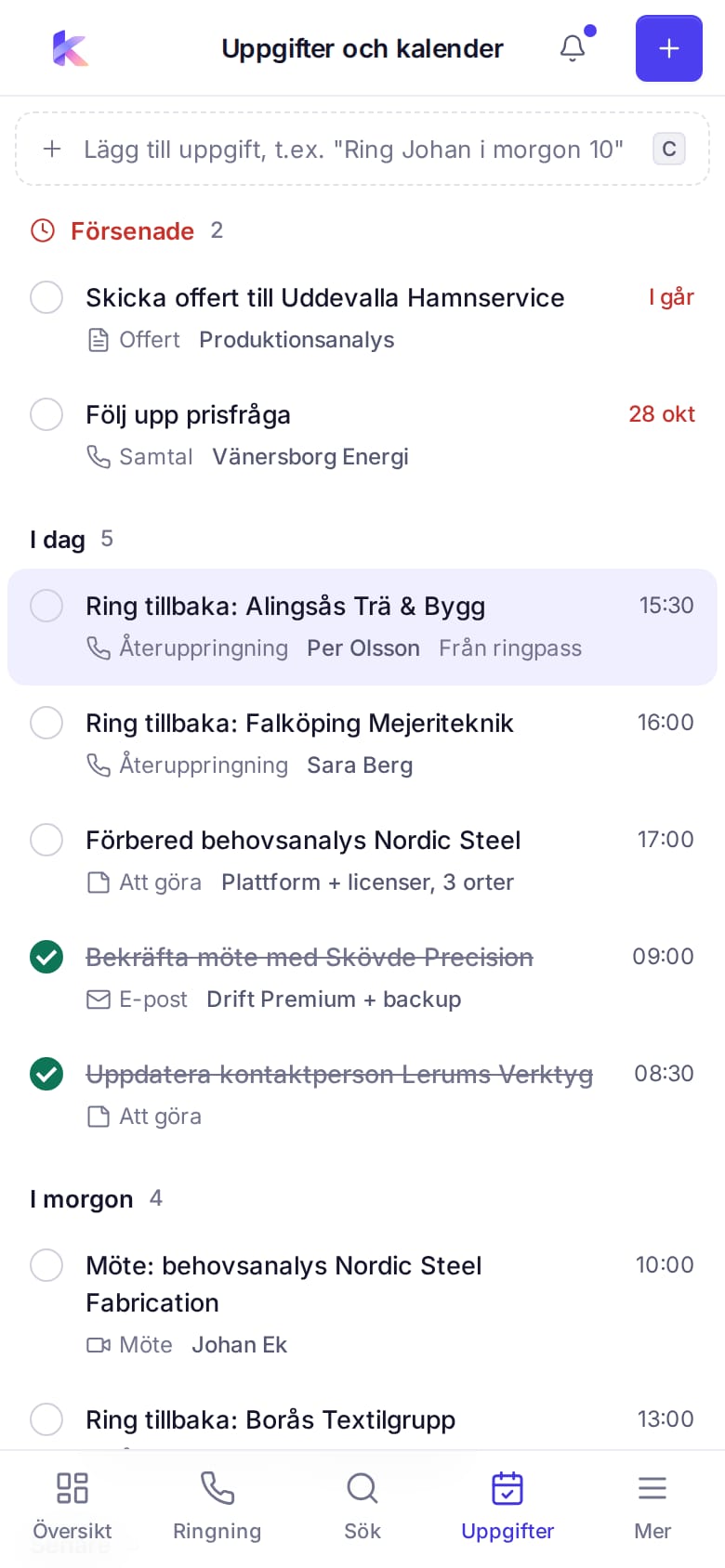
Install Konvyra as an app on Android or iPhone, or just use the browser. On the phone you get what you need on the move, depending on your role: sellers get Workspace, Pipeline, Calling and Tasks, while managers and admins get Overview, Outliers and Tasks. You sign in as usual and have the same permissions as on the desktop.

  • Your pipeline and tasks on the move
  • A big Call button and outcomes with one hand
  • Installed from the browser
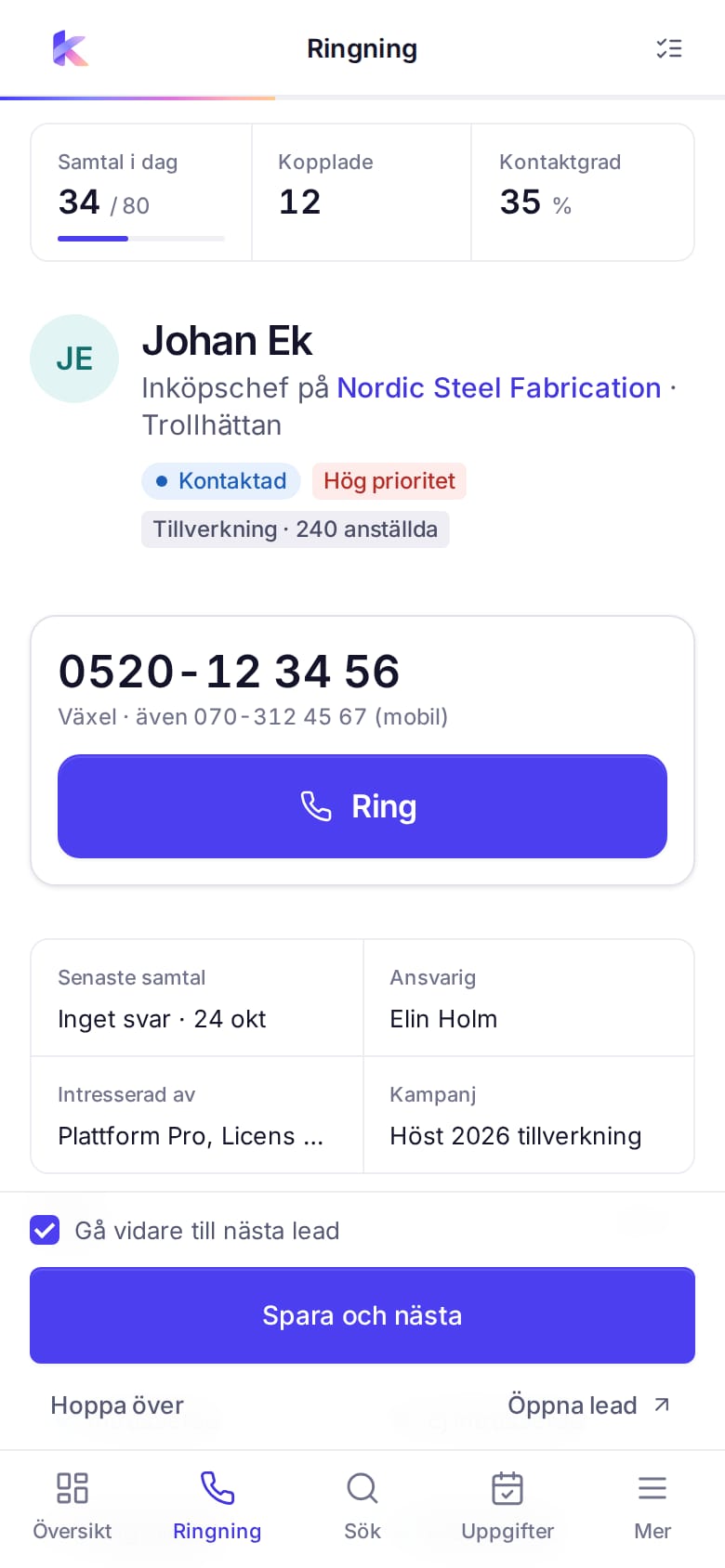
Screenshot of Calling in the Konvyra phone app with a lead card, a big Call button and outcome buttons in two columns.

Keep your sales work connected

Stop hunting for the next step across scattered lists. Keep customer details, deals and tasks together in Konvyra, so the whole team knows what has happened and what to do next.

  • Companies and contacts with a shared history
  • Pipeline and quotes linked to the deal
  • Tasks and reports that show the next step
  • Hosted locally, in the EU or in the US

Access

Each role sees what it should

Seller, Sales manager and Administrator have different permissions, and the system enforces them, not just the menu. A seller sees their own records and the leads in the lists assigned to them. A sales manager sees their own teams.

  • Permissions are enforced by the system
  • Field permissions, for example on price
  • The right to export is set per role

Five languages

Konvyra is made for Swedish sales teams and is available in Swedish, English, German, French and Spanish. Each user chooses a language and a light or dark theme in their user menu.

Screenshots from the app with fictitious test data.

Sell Konvyra to your customers

Help your customers bring customer relationships and sales work together in a Swedish CRM. We accept applications from IT consultants, systems integrators and sales consultants, among others. We go through terms, training and support in a first conversation.

Become a reseller

About us

Konvyra is developed and provided by Stääv & Wollter Affärsutveckling Handelsbolag in Vellinge. Konvyra is a Swedish CRM for sales teams.

Company details
Stääv & Wollter Affärsutveckling Handelsbolag
Company reg. no.
969775-6808
Address
Snapphanens Väg 38, 235 43 Vellinge

Let’s talk about your sales process

Tell us what your team needs and which integrations matter to you, and we’ll discuss how Konvyra could fit your business.

Contact us