From first contact to your next deal

Build customer relationships, keep deals moving and follow up on time. Konvyra brings customer information, pipeline, quotes and your team’s work into one CRM.

Companies and contacts

Every company has a page of its own with its contacts, deals and history. On a contact’s page you see which company the person belongs to. Notes, logged calls and tasks land on one timeline, so you can see what has happened before you follow up.

  • Companies, contacts and deals linked together
  • Notes, calls and tasks on one timeline
  • Create a task or log a call straight from the record
Leads and lists

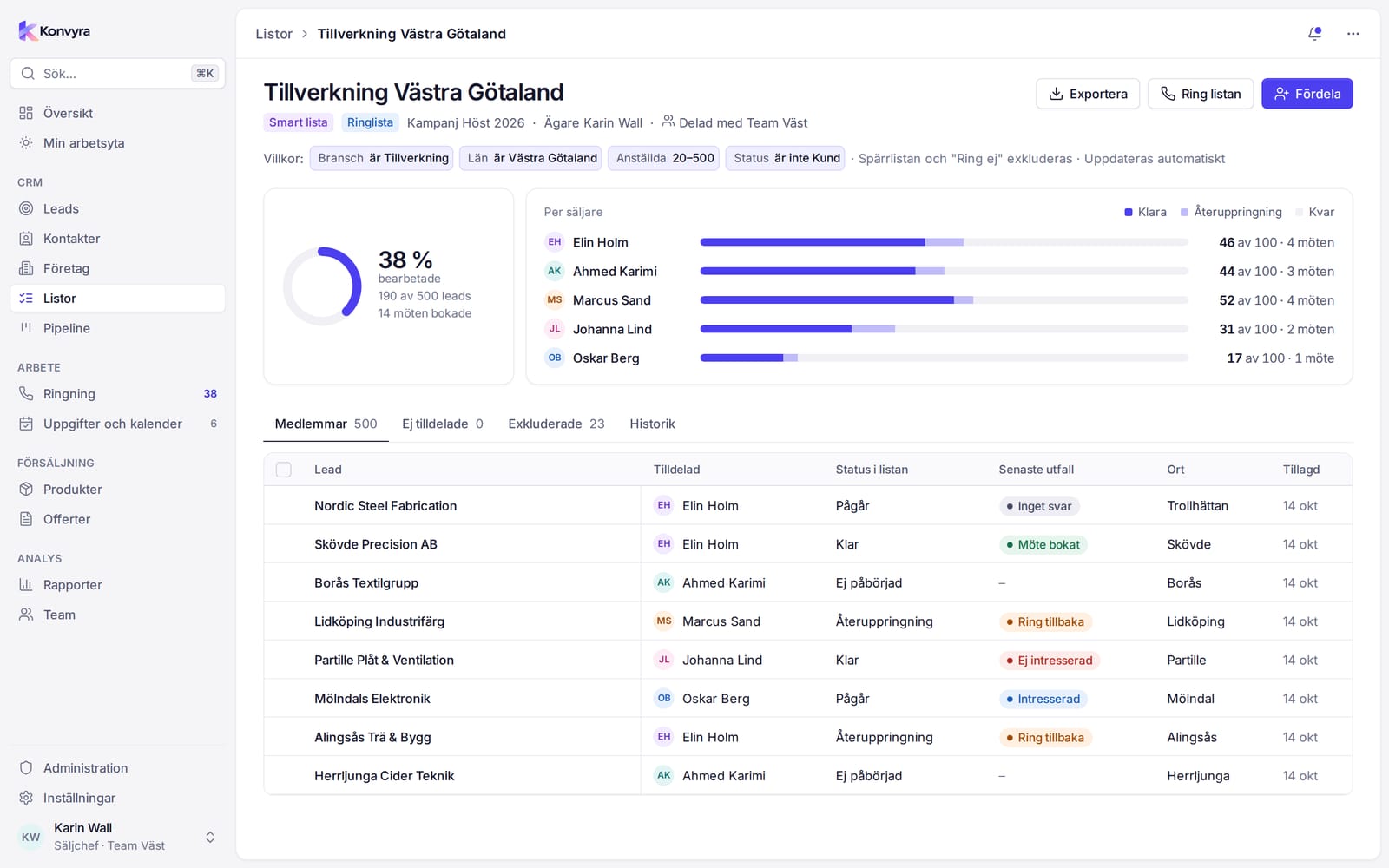
A list collects leads for one purpose, such as a campaign or a calling session. A lead can be in several lists without being duplicated. The sales manager distributes the list among the sellers and sees how far each one has got. Leads can come in as CSV.

  • Static lists and smart lists built on a filter
  • Distribution evenly, by share or by a manual count
  • A do-not-call list that keeps numbers out of every call queue
  • Import with duplicate checks on email, phone and web address
Screenshot of a list in Konvyra with the distribution between sellers and progress.

Pipeline and deals

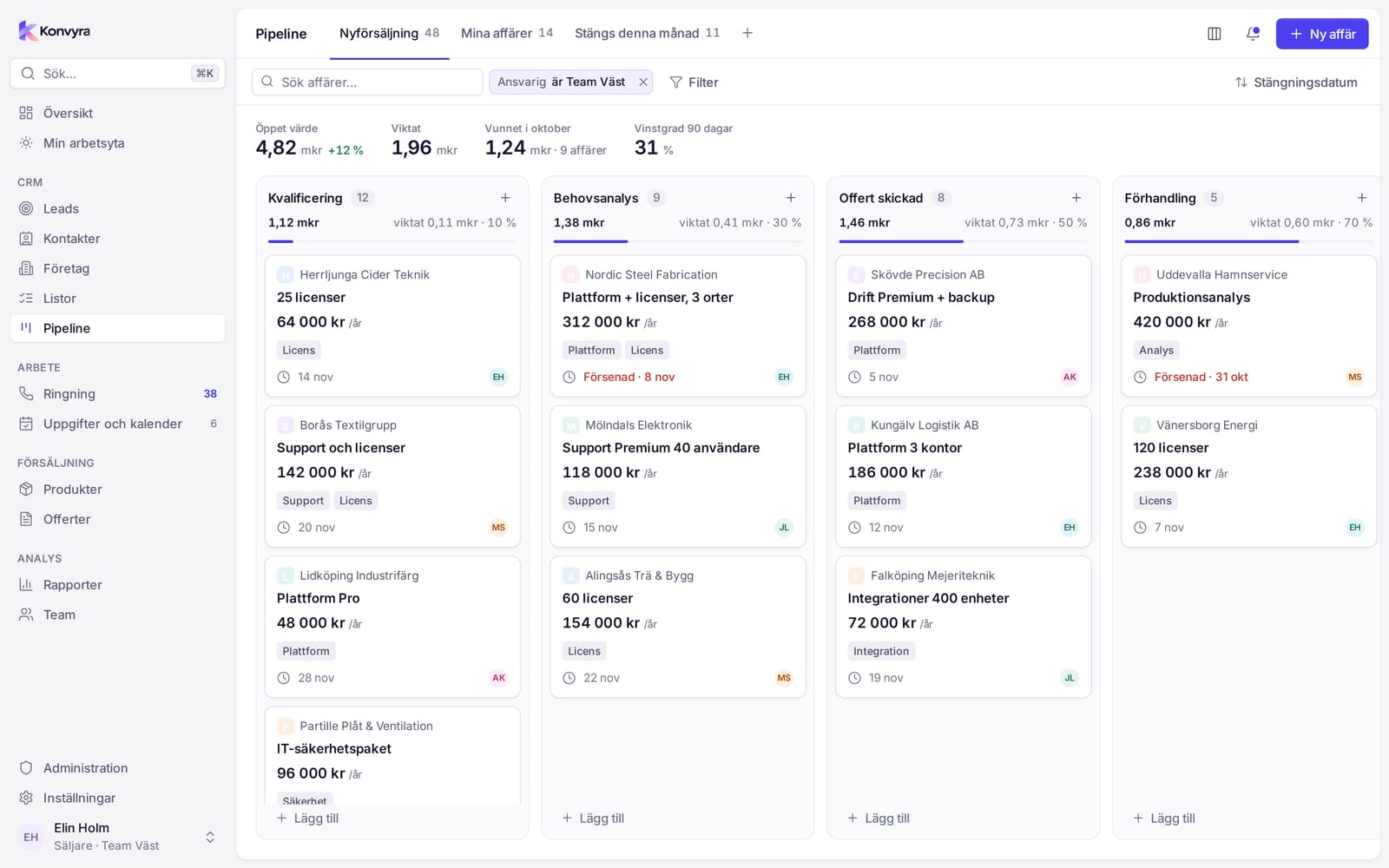
Turn a lead into a deal with one click and follow it through the stages. Each stage has a probability, which is used for the weighted value. When you move a deal to a lost stage you record the reason. The administrator sets up your own pipelines and stages.

  • Drag cards between stages, with the keyboard or on the phone
  • Open value, weighted value and win rate at the top
  • Products from the catalogue on every deal
  • Undo after every move
Screenshot of the pipeline board in Konvyra with deals in stages and totals per stage.

Products and quotes

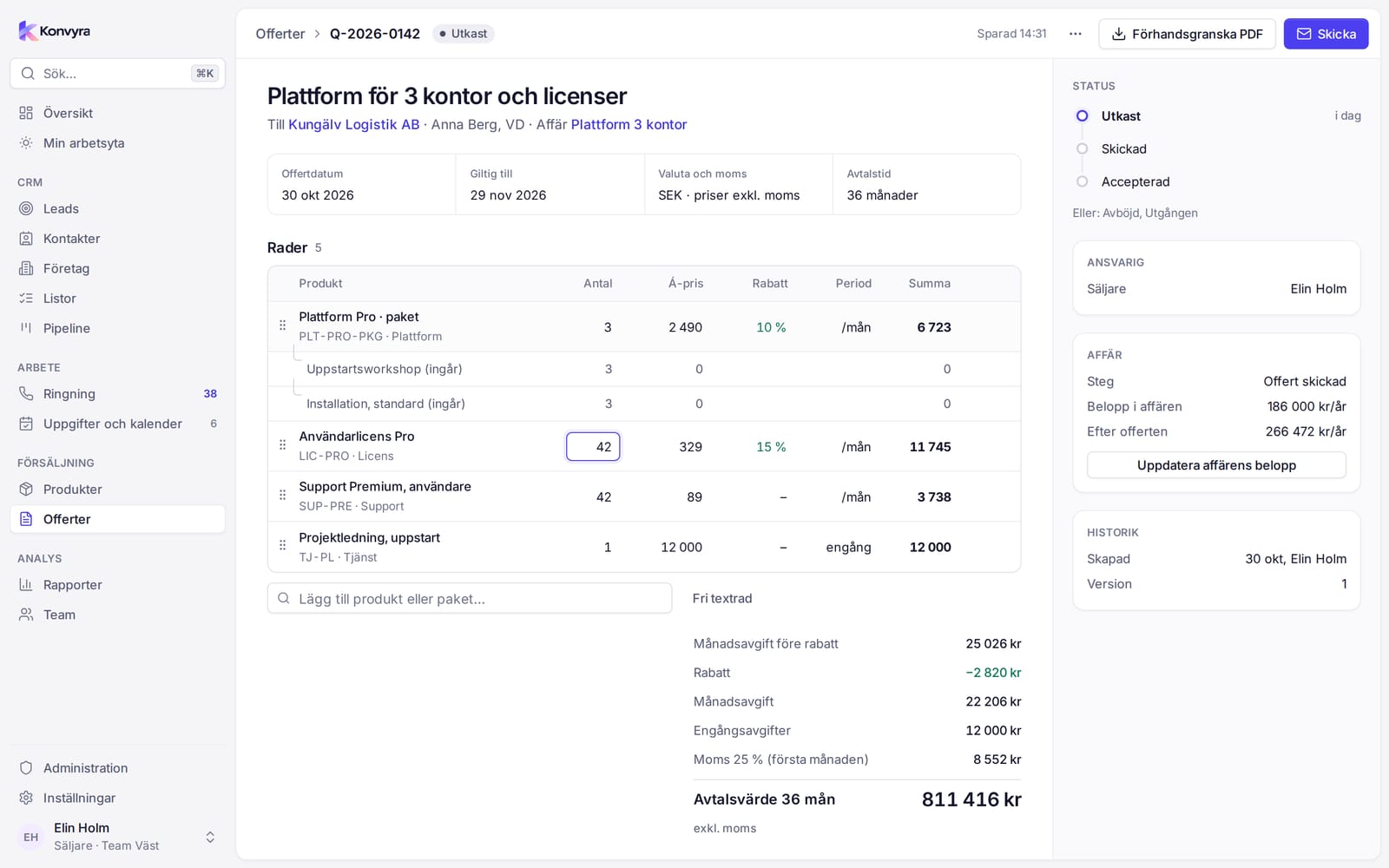
The product catalogue holds price, period, VAT and bundles. A quote is built from catalogue lines and works out the monthly fee, one-off charges, VAT and contract value. You preview it as a PDF and download it when it is ready to go. You send the PDF yourselves from your own email program.

  • Bundles become a main line with the included products beneath it
  • Discount as a percentage or an amount per line
  • New version, duplicate and status from draft to accepted
  • Update the deal's amount from the quote
Screenshot of the quote builder in Konvyra with lines, totals and a PDF preview.

Tasks and calendar

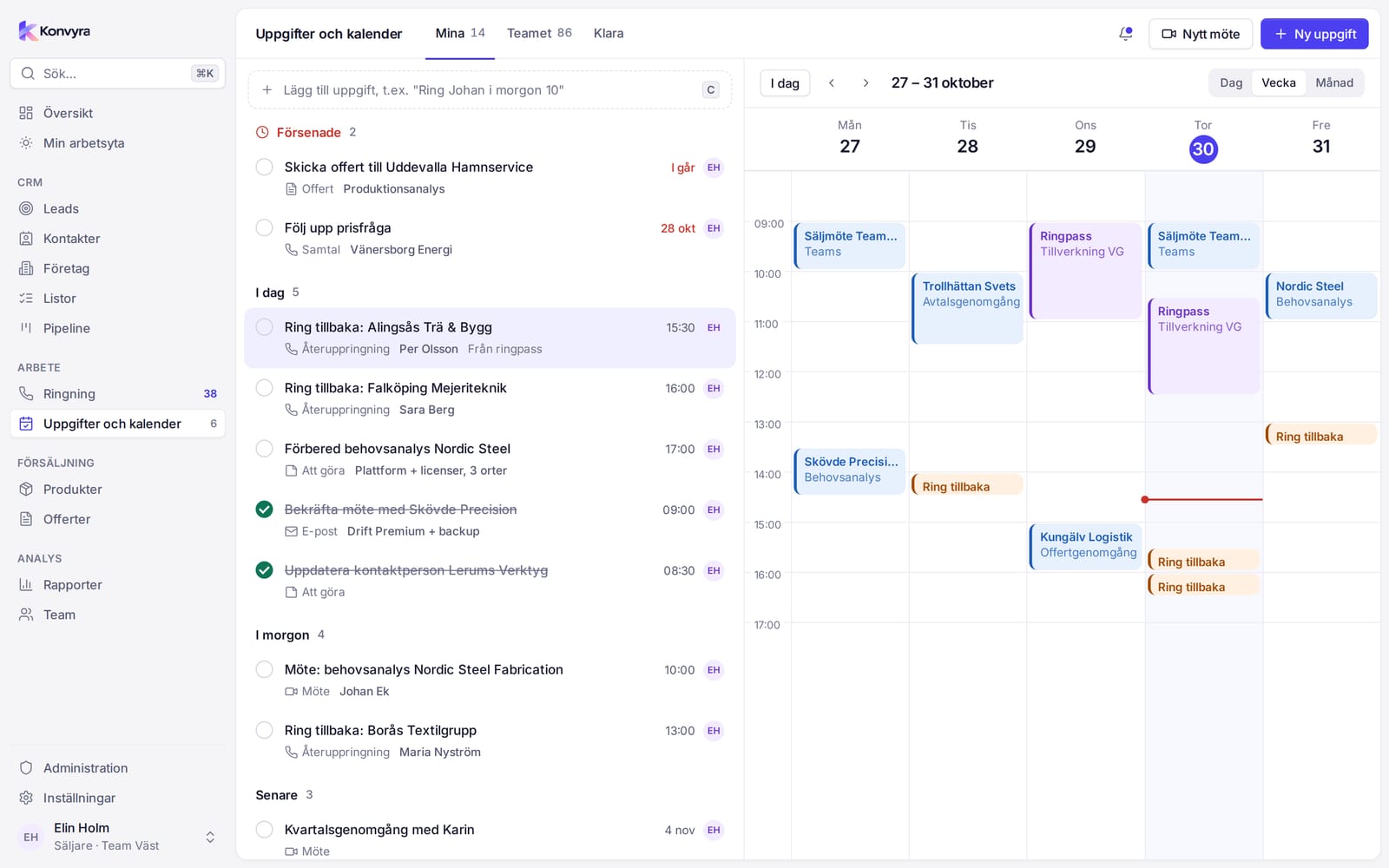
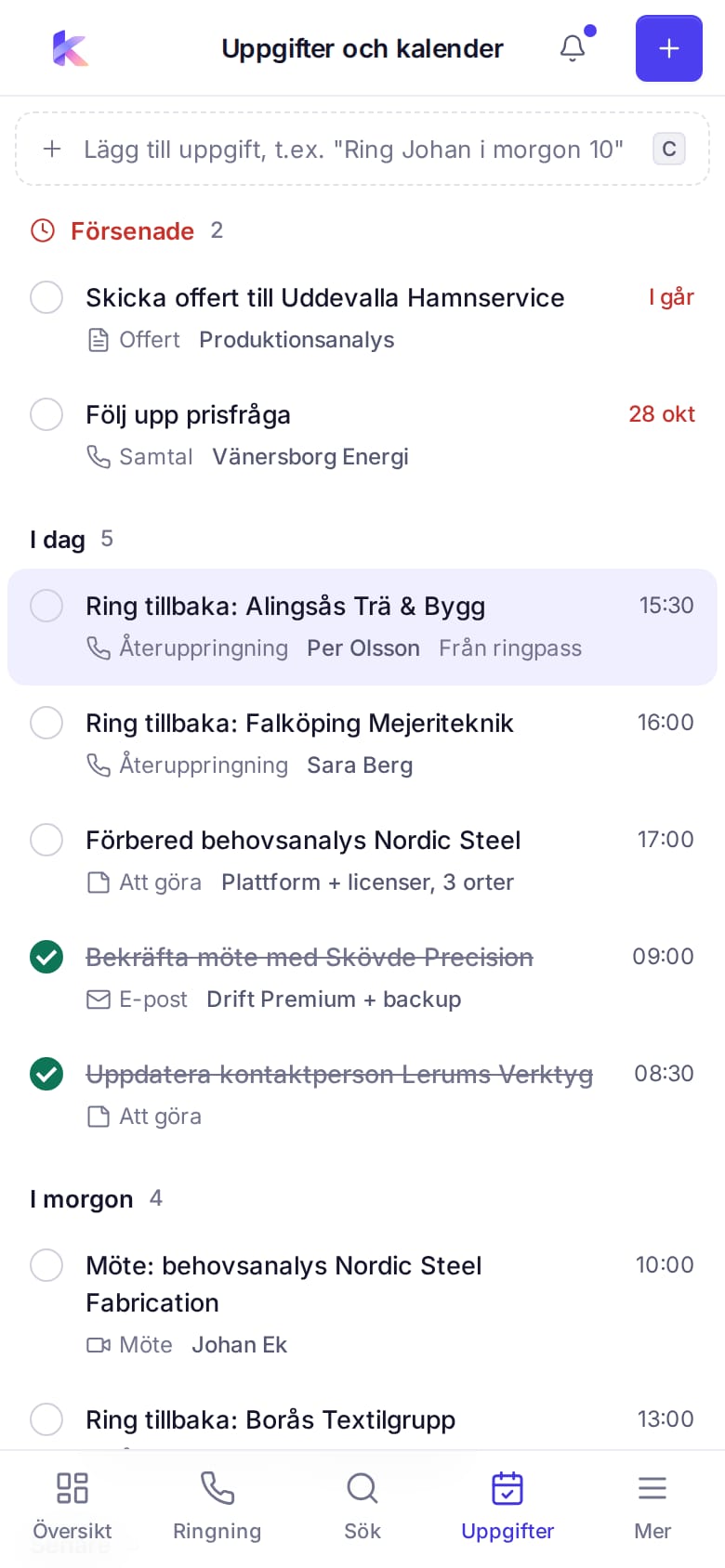
Tasks are grouped as overdue, today, tomorrow and later. Write a task as plain text, for example Call Johan tomorrow 10, and Konvyra reads the time. In the calendar you drag tasks to a time and move meetings. Callbacks appear there together with your meetings.

  • Quick add with a date and time in the text
  • Calendar with day, week and month
  • Types: to do, call, callback, email, meeting and quote
  • The team's tasks for sales managers and administrators
Screenshot of the task list and the calendar in Konvyra.

Reports and overviews

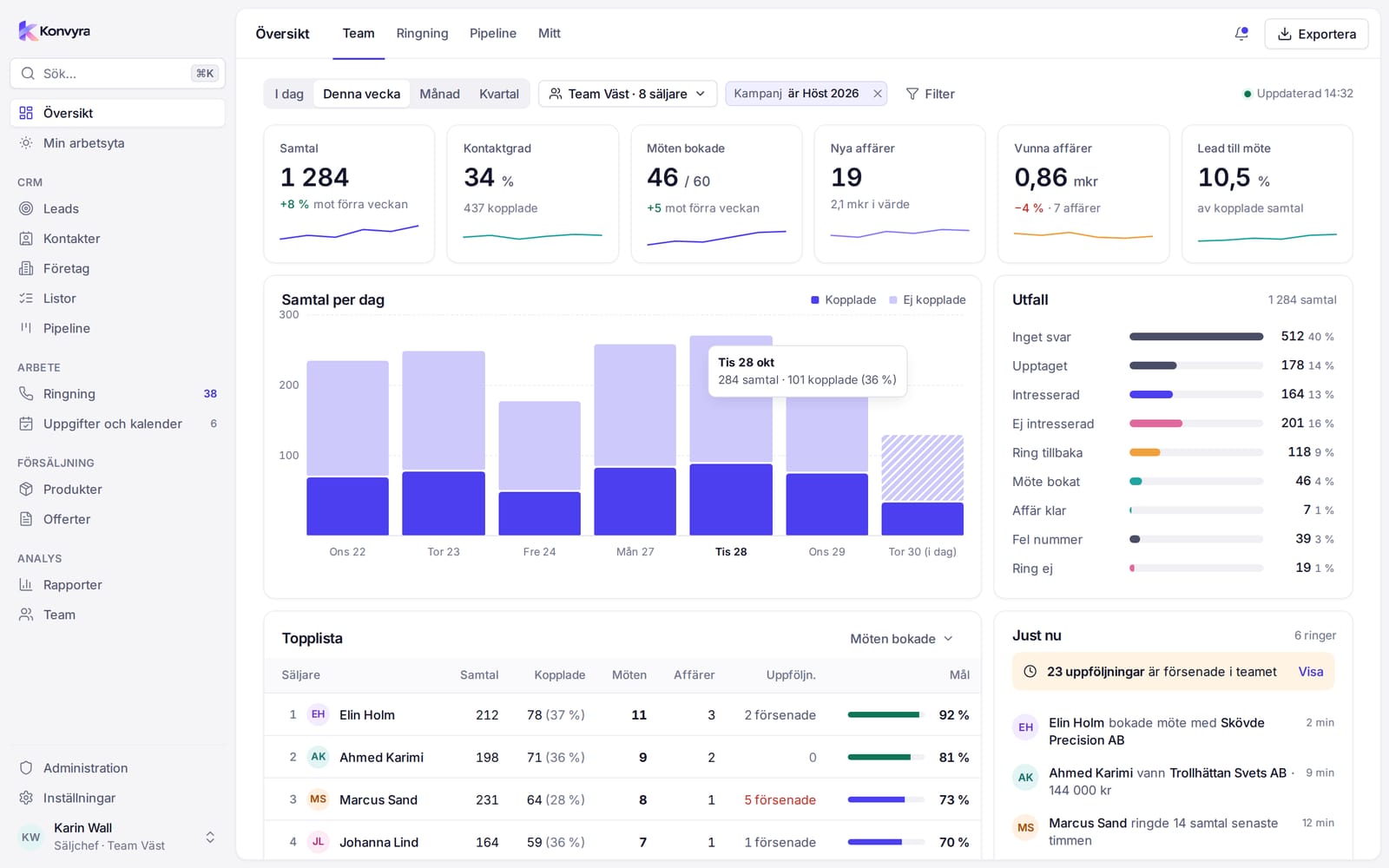
Each role gets a start page with figures that suit the role. The sales manager sees the team's calls, meetings and deals. The reports go deeper into sales, pipeline and products. Exceptions point out what needs action now, and every row has an action.

  • Filters for period, team, seller, campaign, list and product
  • Leaderboard per seller with target attainment
  • Exceptions: stuck deals, untouched leads and overdue callbacks
  • Export of the tables as CSV
Screenshot of the team overview in Konvyra with key figures, calls per day, outcomes and a leaderboard.

Teams and sales managers

A team is a group of sellers with one or more sales managers. The sales manager distributes lists, changes the owner of many leads at once and follows the team's results. The administrator creates teams and manages the members.

  • The sales manager sees their own teams
  • Bulk change of owner for leads and deals
  • Comparisons between sellers in the leaderboard
  • Members can be put in any order

Calling and callbacks

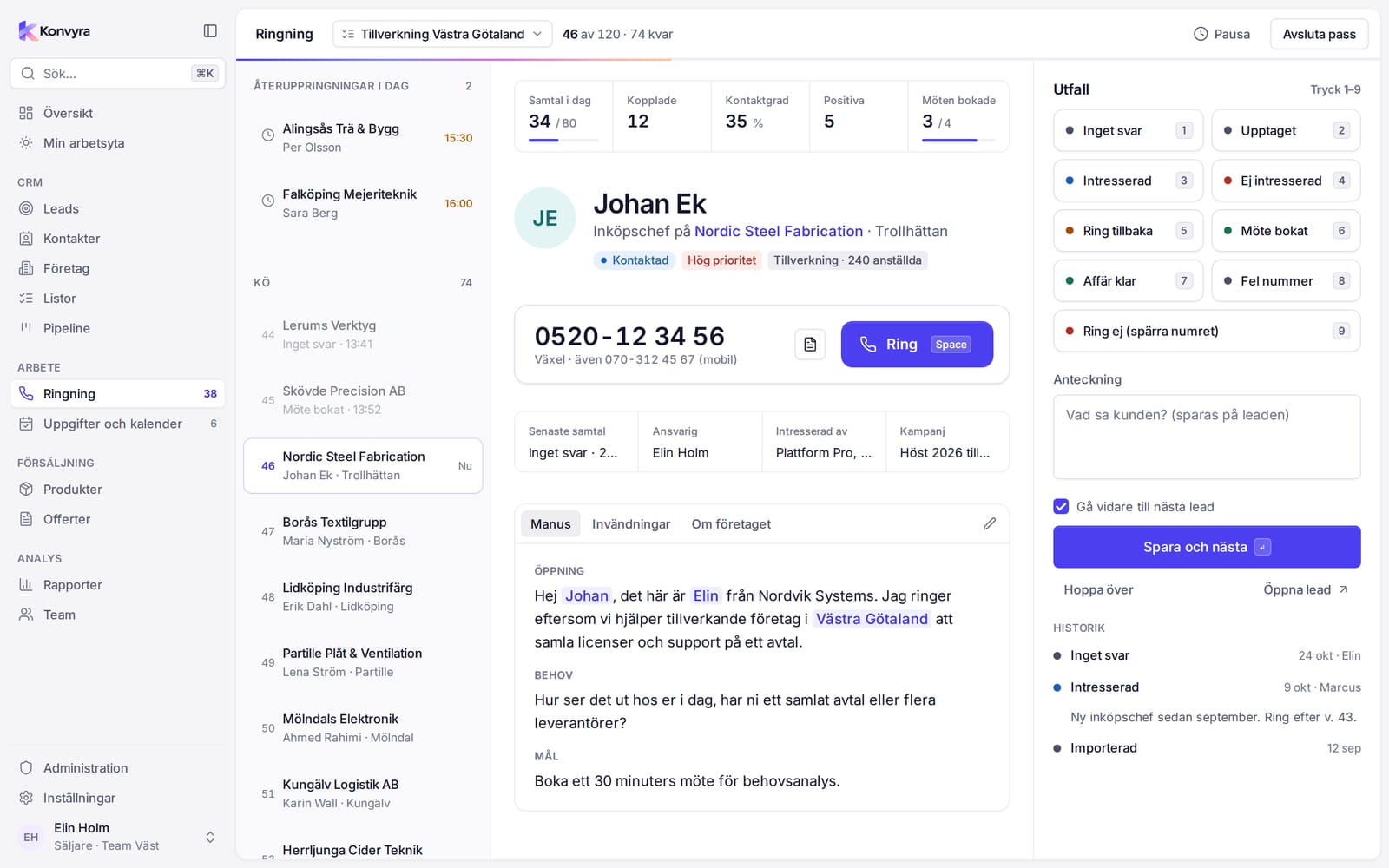
A calling session takes one lead at a time. Name, status, earlier calls, notes and the script are on the same screen. You press Call, and the phone opens its dialler with the number. Then you record how it went, so the call and the lead's status are saved.

  • Callbacks due today come first in the queue
  • Outcomes with the number keys, a note and Save and next
  • Meeting booked creates a calendar meeting and a task
  • Your figures for the day: calls, calls reached, contact rate and meetings
Screenshot of Calling in Konvyra with the queue, the current lead, the call script and outcome buttons.

The phone app and Focus mode

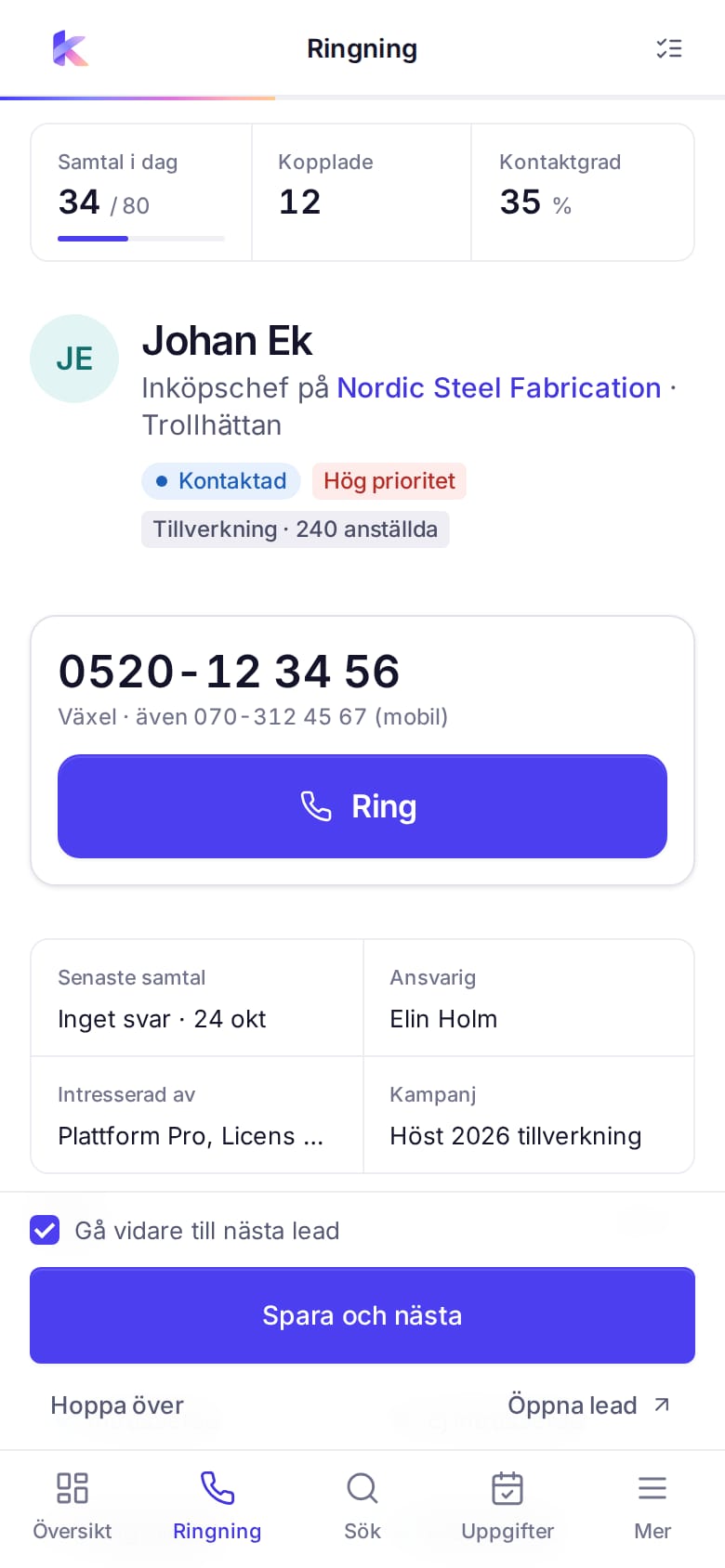
Konvyra can be installed as an app on Android and iPhone, straight from the browser. On the phone, Focus mode is always on and shows the core jobs for your role. The seller reaches their workspace, pipeline and tasks, and calls with a big Call button and saves the outcome with one hand. The app needs an internet connection and always shows current data.

  • Workspace, your own deals, tasks and calling
  • Move a deal by pressing and holding the card
  • Sales managers get the overview and exceptions
  • The same sign-in and the same permissions as on the desktop
Screenshots of the Konvyra phone app in Focus mode with a calling card and tabs at the bottom.

Access by role

Konvyra has three roles: Seller, Sales manager and Administrator. Permissions are enforced by the system, so no one can reach data by guessing an address. A seller sees their own records and the leads in assigned lists, a sales manager sees their teams and an administrator sees the whole organisation.

  • Permissions per data type: view, edit, delete, export
  • Field permissions, for example who may change a price
  • Reports and Teams are visible only to sales managers and administrators
  • The administrator creates the users and sets the passwords
  • Hosted locally, in the EU or in the US, so your data stays in that region

Five languages

The app is available in Swedish, English, German, French and Spanish, and each user chooses a language in their user menu. The user also chooses a light or dark theme there. Some of the text in the administration settings is in English only. The documentation is available in Swedish and English.

  • Language per user
  • Light, dark or the system theme
  • Language, theme and Focus mode in the user menu
  • Each colleague works in their own language

Screenshots from the app with fictitious test data.

Let’s talk about your sales process

Tell us what your team needs and which integrations matter to you, and we’ll discuss how Konvyra could fit your business.

Contact us