
Overview and My workspace
My workspace
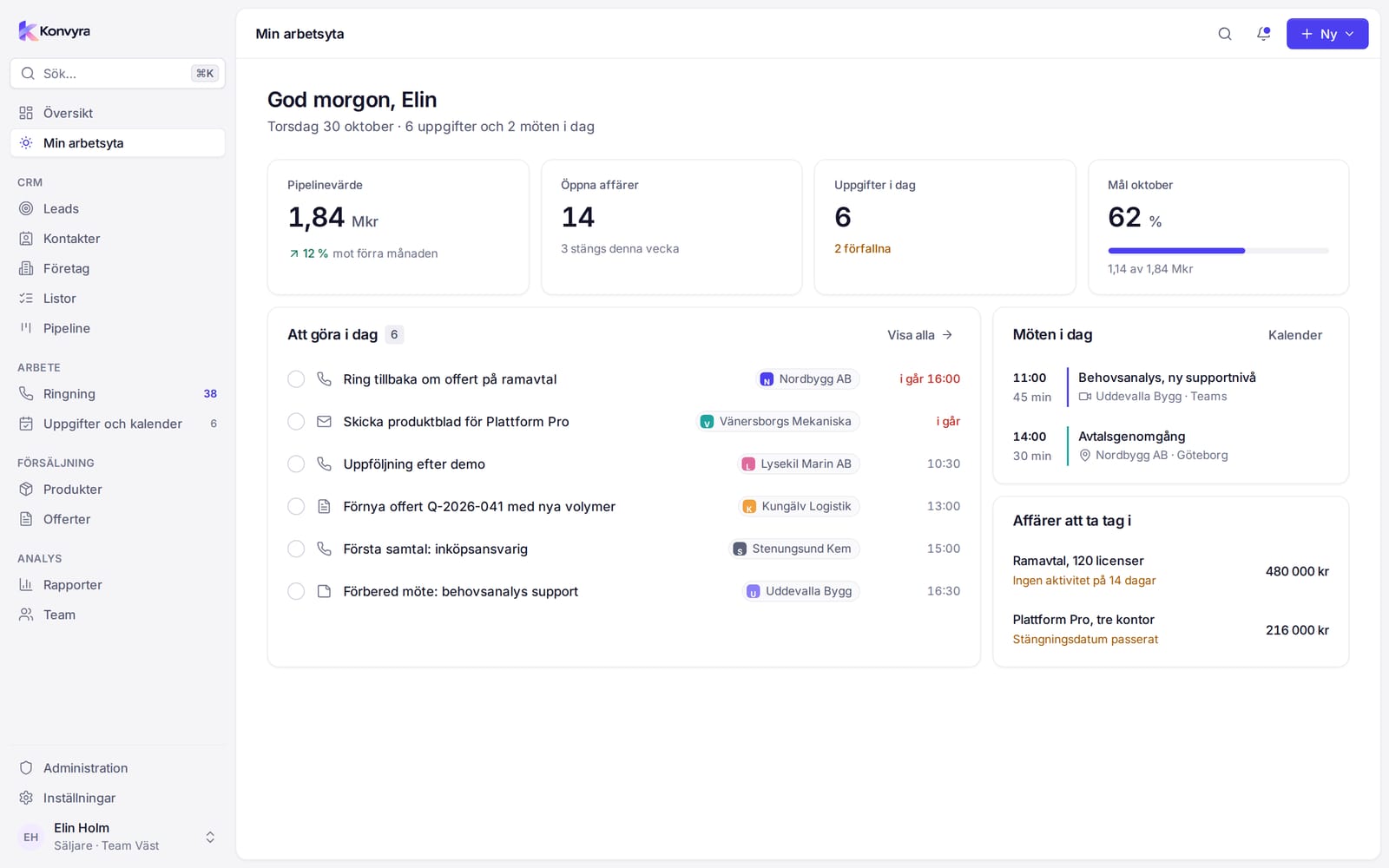
My workspace is your daily starting point. At the top are a greeting and today's date, followed by four key figures:
- Calls today
- Meetings booked this week
- Open deals with the pipeline value
- Tasks today, with the number that are overdue
Below the key figures are four cards:
- To do today: your tasks and meetings with their time. Overdue tasks have a red time. Select View all to open Tasks and calendar, or select a task to open it.
- Callbacks: calls you have scheduled. Select a row to open the lead.
- Deals closing within 30 days: your deals with amount and expected close. Select a deal to open it.
- Recent activity: what you have done lately, such as calls and tasks.
If there is nothing to show you see an empty box, for example No tasks today.
Overview
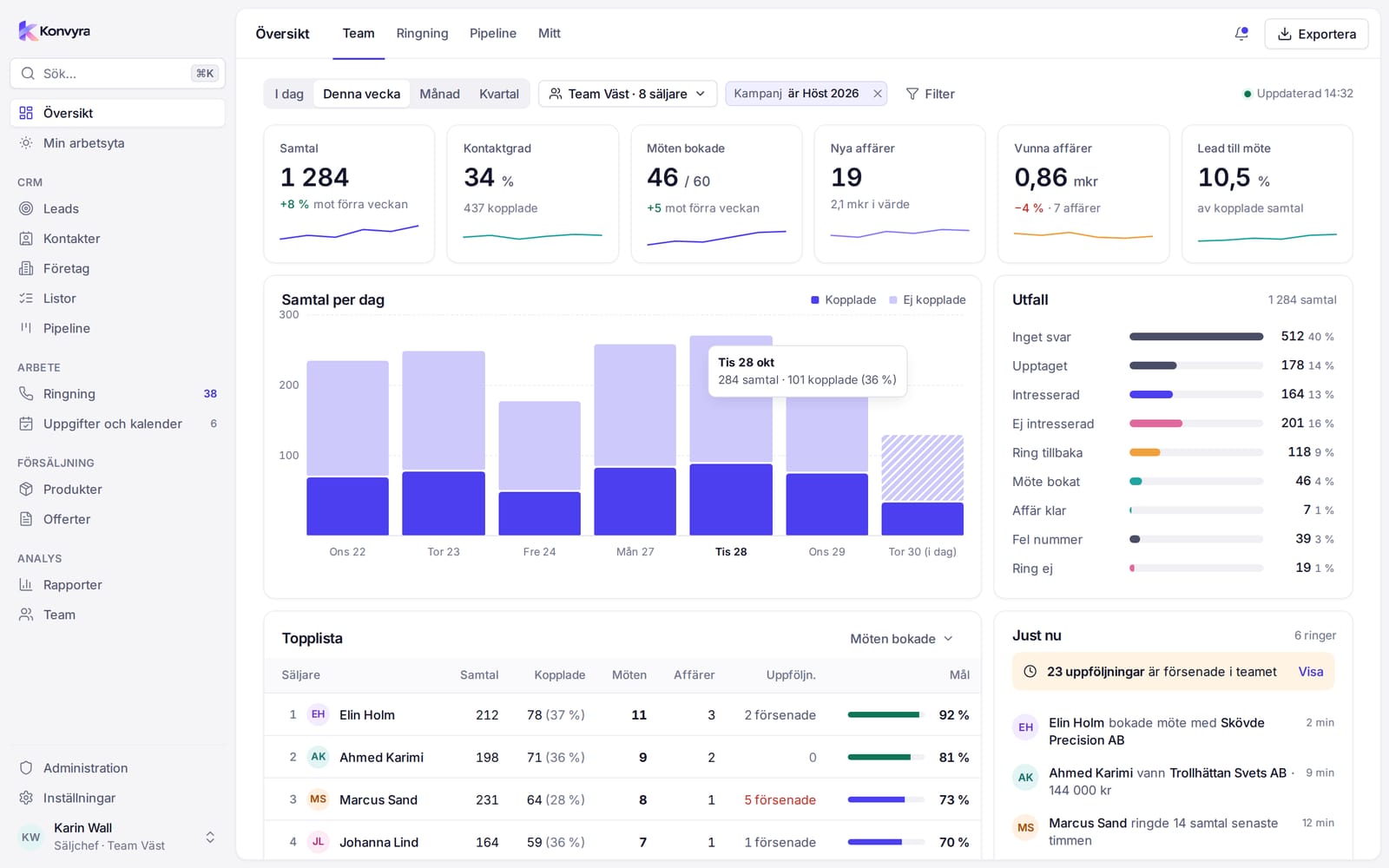
Overview shows how things are going right now. The tabs at the top control what you see. You only see the tabs that apply to your role.
- Team: for Sales managers and Administrators.
- Calling: for Sales managers and Administrators.
- Pipeline: for all roles.
- Company: for Administrators only.
- My workspace: for all roles, see above.
Periods and filters
At the top you choose a period: Today, This week, Month or Quarter. Under More periods you find Custom, where you enter From and To. On the Team and Calling tabs you can also filter by team, rep, Campaign and List. A Sales manager only sees their own teams.
The figures are compared with the previous period of the same length, for example "+8% vs previous period". Updated shows when the figures were fetched. Select Export in the top bar to download the tables you see as a CSV file.
The Team tab
- Key figures: Calls, Contact rate, Meetings booked, New deals, Deals won and Lead to meeting.
- Calls per day and Outcomes show how the calls are distributed.
- Leaderboard: one row per rep. Select Sort to rank by calls, reached, meetings, deals or goal attainment. Select a row to see that person's figures.
- Right now: who is calling, how many follow-ups are overdue in the team and the latest events, such as booked meetings and won deals.
The Calling tab
Calls today, this week, this month or this quarter, Reached, Contact rate, Positive outcomes, Meetings booked and Callbacks scheduled. Also Progress per list, Calls per day and Calls per hour today. Keep calling takes you to Calling.
The Pipeline tab
Pipeline value, Open deals, Weighted value, Won, Win rate and Average deal, Value per stage, Won per month and Closing within 30 days. Read more about the stages under Pipeline and deals.
The Company tab
For Administrators, with figures for the whole organisation: Contacts, Active leads, New leads, Open deals, Revenue and Lead-to-deal conversion. Also New leads over time, Sales per rep, Call activity per rep, Lead sources, Product sales and Imports.